
Configure data protection
Align AI usage with your organization’s data policies.
Before you begin
This guide stays on xdev.asia. To perform the task, use an account in your organization’s AI Studio workspace with access to this feature. Screenshots show a demonstration workspace; names and data are examples.
Find the screen
Align AI usage with your organization’s data policies.
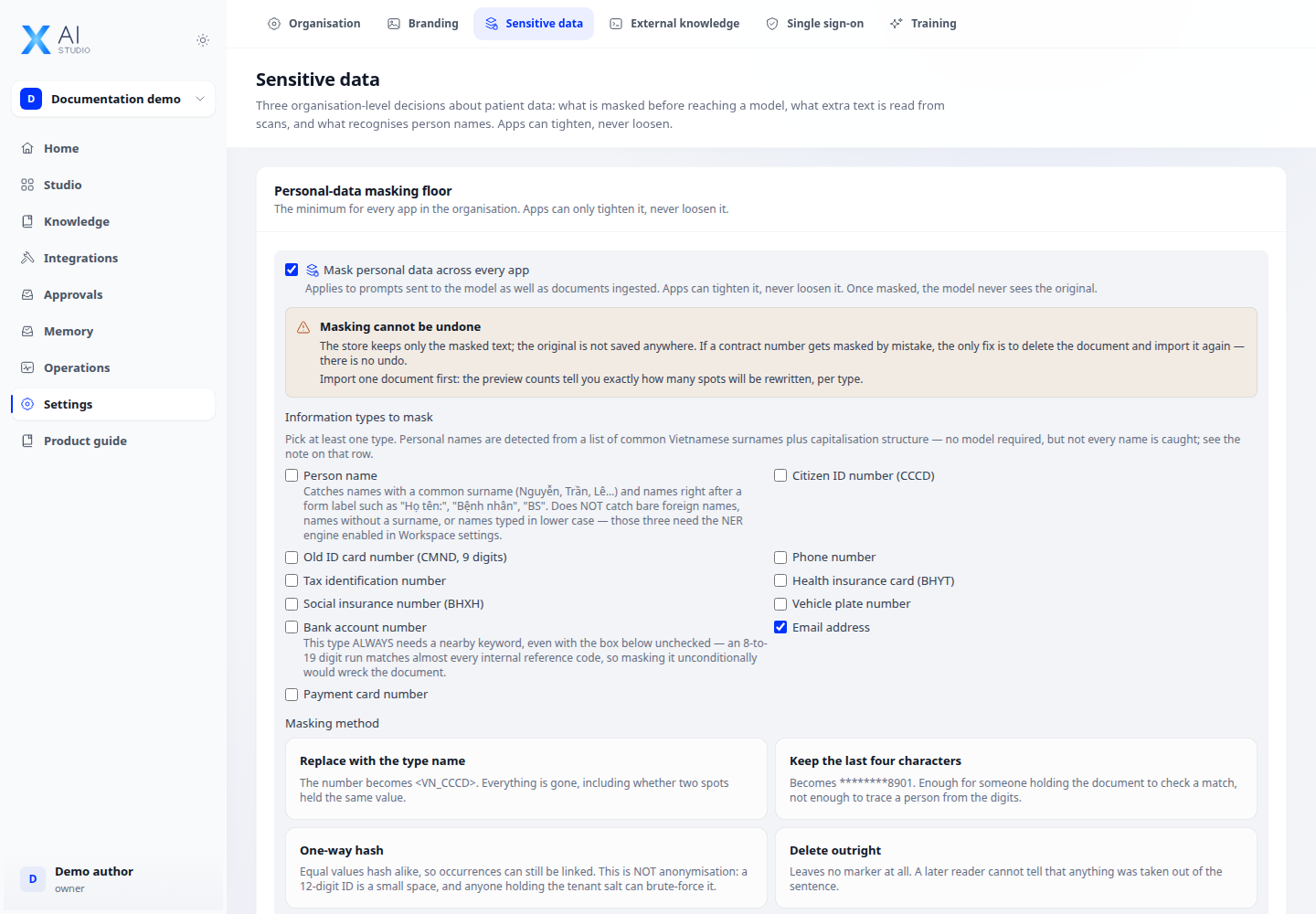
Step 1
Open Settings → Data protection to review sensitivity levels and the available PII, OCR and data-handling policies.
Step 2
Review external destinations under Integrations → Tools → Egress. Allow only the destinations required by your approved integrations.
Step 3
Test with non-sensitive sample data and inspect the resulting behavior. If an action is blocked, review the app sensitivity, provider destination and effective policy with an administrator.
Check your result
Saved policies are still shown after reload. Use non-sensitive sample inputs to check the effective behavior before applying changes to real data.
PII, OCR and data labels
Distinguish personal-data detection and masking from extracting document text with OCR. Choose error handling, sensitivity levels and service configuration for the task. Test both allowed and blocked cases with sample data.